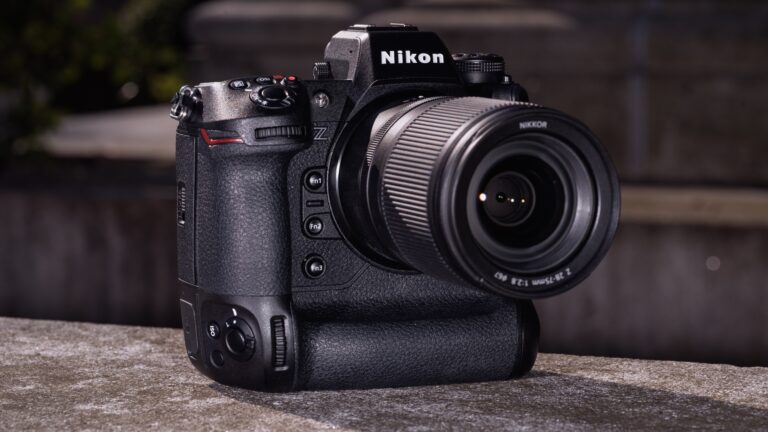
Camera Raw 17.4.2 – A Complete Informative Guide
Introduction to Camera Raw 17.4.2
Camera Raw 17.4.2 is a refined update of Adobe’s powerful RAW image processing engine that photographers and designers rely on for high-quality image editing. It is designed to give users precise control over exposure, color, detail, and tone while working with RAW image files directly from digital cameras. Unlike standard JPEG editing, RAW processing preserves more image data, allowing deeper and more accurate adjustments without degrading image quality.
This version, Camera Raw 17.4.2, belongs to the broader 17.4 release cycle. While it does not radically change how the software looks or works, it focuses on stability, performance improvements, and polishing the advanced AI-powered tools introduced earlier in the 17.x series. For professionals and beginners alike, this update ensures a smoother editing experience while maintaining compatibility with modern cameras and lenses.
4
What Is Adobe Camera Raw and Where It Fits
Adobe Camera Raw is a plug-in and processing engine used inside Adobe’s creative applications. It works closely with Adobe Photoshop, Adobe Bridge, and After Effects, allowing users to open and edit RAW files before moving into advanced compositing or retouching. The same core engine is also used by Lightroom, which means edits remain consistent across Adobe’s ecosystem.
Camera Raw 17.4.2 continues this integration by ensuring that RAW files open quickly, edits remain non-destructive, and adjustments can be synchronized across multiple images. For many photographers, Camera Raw is the first and most important step in the editing workflow.
Overview of Camera Raw 17.4.2
Camera Raw 17.4.2 is a maintenance-focused update built on top of the major features introduced in version 17.4. Instead of adding completely new tools, this release improves reliability, refines AI behavior, and resolves minor issues reported by users in earlier sub-versions.
The “.2” in Camera Raw 17.4.2 indicates that this update mainly targets bug fixes, performance tuning, and smoother interaction with supported Adobe applications. It ensures that professionals working on large batches of photos or high-resolution files experience fewer interruptions and more predictable results.
Key Features Available in Camera Raw 17.4 Series
Although Camera Raw 17.4.2 is a minor update, it benefits from all the powerful tools introduced in the 17.4 series. These features significantly enhance editing speed and accuracy.
AI-Powered Removal Tools
One of the most appreciated features in this version range is AI-based object and people removal. Users can select unwanted elements such as passersby, distractions, or small objects, and Camera Raw intelligently fills the area while maintaining realistic textures and lighting. Camera Raw 17.4.2 improves the stability of these tools, making them more reliable during repeated edits.
Reflection Removal
Reflection removal is another advanced capability that helps eliminate unwanted reflections from glass or windows. This is especially useful for architectural, travel, and street photography. Camera Raw 17.4.2 refines this feature so reflections are removed more naturally without flattening the image.
Improved AI Adjustments
AI-based edits like Denoise and Super Resolution can now be updated or refined more smoothly. Camera Raw 17.4.2 ensures that these computationally heavy processes work more efficiently, particularly on modern hardware.
Color Variance and Tone Control
The Color Variance slider allows editors to control how much color variation exists within similar tones. This helps maintain natural skin tones and consistent colors across landscapes and portraits.
Masking Enhancements
Masking tools continue to improve, offering better subject detection and more accurate selections. Landscape masking elements such as sky, snow, and foreground benefit from better edge detection and smoother transitions.
Bug Fixes and Stability Improvements in Camera Raw 17.4.2
Camera Raw 17.4.2 primarily focuses on polishing the user experience. Minor bugs related to previews, thumbnail generation, and AI recalculations have been addressed. Users who experienced occasional slowdowns or inconsistent results in earlier builds will notice more predictable performance after updating.
This version also improves compatibility between Camera Raw and the latest releases of Adobe applications, ensuring that workflows remain uninterrupted.
Supported Cameras and Lenses
Camera Raw supports a wide range of camera brands and models, continuously expanding with each update. Camera Raw 17.4.2 maintains support for most modern DSLRs and mirrorless cameras while ensuring lens correction profiles remain accurate.
Below is a simple overview of what Camera Raw typically supports:
| Category | Description |
|---|---|
| Camera Brands | Canon, Nikon, Sony, Fujifilm, Panasonic, and more |
| File Types | RAW, JPEG, TIFF, and DNG |
| Lens Profiles | Automatic distortion and vignetting correction |
| Color Profiles | Camera-matching and custom profiles |
Using Camera Raw 17.4.2 in a Real Workflow
Working with Camera Raw 17.4.2 usually begins by opening a RAW file in Photoshop or Bridge. Once opened, users adjust exposure, contrast, highlights, and shadows in the Basic panel. From there, more refined edits can be applied using color grading, detail enhancement, and masking.
After adjustments are complete, images can be opened directly in Photoshop for retouching or exported as high-quality JPEG or TIFF files. All edits remain non-destructive, meaning original image data is never permanently altered.
Best Practices for Better Results
To get the most out of Camera Raw 17.4.2, it is recommended to work in 16-bit mode when possible, use AI tools selectively, and save presets for consistent editing across multiple images. Synchronizing edits across similar photos can also save significant time during large projects.
Backing up Camera Raw settings and keeping Adobe apps updated through Adobe Creative Cloud ensures a smooth and secure workflow.
Troubleshooting Common Issues
If Camera Raw 17.4.2 behaves unexpectedly, resetting preferences often resolves minor glitches. Compatibility issues can usually be fixed by updating Photoshop or Bridge to their latest versions. In rare cases, reinstalling the Camera Raw plug-in can restore normal functionality.
Comparison With Other Versions
Compared to earlier 17.x releases, Camera Raw 17.4.2 offers better stability and refined AI performance. Later versions, such as 17.5 or 18.x, may introduce additional features, but many professionals prefer 17.4.2 for its balance between advanced tools and reliability.
Conclusion
Camera Raw 17.4.2 may appear to be a small update, but it plays an important role in delivering a stable, efficient, and professional editing experience. By refining AI-powered tools, improving performance, and ensuring wide compatibility, this version remains a dependable choice for photographers and designers who value precision and quality.
Frequently Asked Questions
What is Camera Raw 17.4.2 used for?
It is used for editing RAW images with advanced color, exposure, and detail control.
Is Camera Raw 17.4.2 free?
It is included with Adobe Photoshop and other compatible Adobe applications.
Does Camera Raw 17.4.2 support new cameras?
It supports most modern cameras available around its release period.
Can I use Camera Raw without Lightroom?
Yes, it works directly inside Photoshop and Bridge.
Should I update to newer versions?
If stability is your priority, Camera Raw 17.4.2 remains a solid option, though newer versions may add extra features.